
Multi-event management
Run several events from one account. Each event is independent with its own guest list, emails, and check-in data.
Event guest management, simplified
Import your guest list, send invitations with built-in RSVP, and check guests in at the door with QR codes. One platform for corporate events, conferences, and more.
Start with a free event — up to 50 guests, no credit card required.
From the first invitation to the last guest through the door — WeGuests keeps your team aligned and your attendees informed.
Run several events from one account. Each event is independent with its own guest list, emails, and check-in data.
Upload your guest list from Excel in seconds. No integrations required — just import and go.
Send invitations and follow-ups directly from the platform. Track delivery and keep guests engaged.
Guests respond with Accept, Decline, or Maybe — right from the invitation email. Responses sync to your dashboard instantly.
Each guest receives a unique QR code. Fast, reliable identification at the entrance — no printed lists needed.
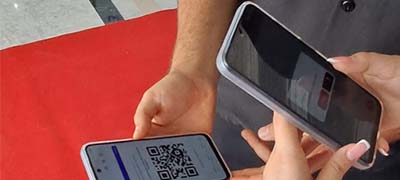
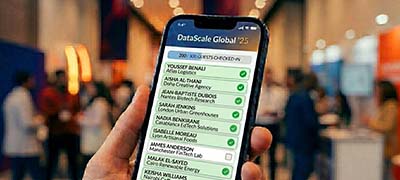
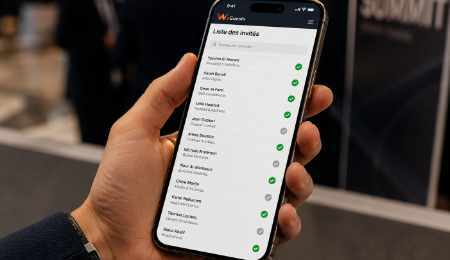
Your check-in staff scans QR codes at the door with the WeGuests companion app. Real-time attendance, zero bottlenecks.
Monitor RSVPs, attendance, and email performance at a glance. Make informed decisions before and during your event.
Assign Admin, Stats user, or Check-in staff roles. Give each team member exactly the access they need.
From guest lists and invitations to QR check-in and live dashboards — a quick look at everything the platform offers, at real events powered by WeGuests.




Four steps from signup to a fully managed event day.
Sign up and create your first event for free. Set the date, venue, and basic details in minutes.
Upload your Excel guest list and send branded invitation emails with built-in RSVP buttons.
Watch RSVPs roll in on your dashboard. Send follow-ups to guests who haven't responded yet.
Staff scan guest QR codes at the entrance with the mobile app. Attendance updates in real time.

Buy events that match your needs. Upgrade anytime — each event keeps its own guest data and settings.
Private events, small business gatherings, VIP events
Medium-sized events, networking, private conferences
For large conferences, exhibitions, and public events requiring full team collaboration.
Perfect to get started - No credit card required
Up to 50 guests, 100 emails + built-in RSVP, QR code check-in mobile app, Real-time dashboard, Rich-text email editor
All plans include built-in email sending, Excel guest import, RSVP tracking, and dashboard stats. Prices are per event, excl. VAT.
Quick answers to common questions about WeGuests.
When you sign up, you get one free event with up to 50 guests, 100 email sends, and full check-in capabilities. It's a great way to try WeGuests before purchasing a paid event plan.
You purchase events individually based on the plan you need. Each event has its own guest limit, email quota, and feature set. You can run multiple events simultaneously, each on a different plan.
Yes. Upload your guest list as an Excel file and WeGuests will import names, emails, and other columns you provide. No third-party integrations are required.
Invitation emails include Accept, Decline, and Maybe buttons. When a guest clicks their response, it is recorded automatically in your event dashboard.
Available on Pro plan, the public signup link lets guests register themselves for your event through a shareable web page — useful for open conferences or community events.
WeGuests supports three roles: Admin (full event control), Stats user (read-only access to dashboard and reports), and Check-in staff (mobile app access for door scanning only).
Yes. Check-in staff use the WeGuests companion mobile app to scan guest QR codes at the entrance. Attendance is updated in real time on your dashboard.
Have a question or need help choosing a plan? Send us a message and we'll get back to you shortly.